Table of Contents
Professional video editing involves much more than cutting clips and arranging footage. Editors spend considerable time reviewing recordings, identifying useful shots, adjusting audio, and making revisions. While AI tools can help with some of these tasks, many still operate separately from the editing software where the actual work happens.
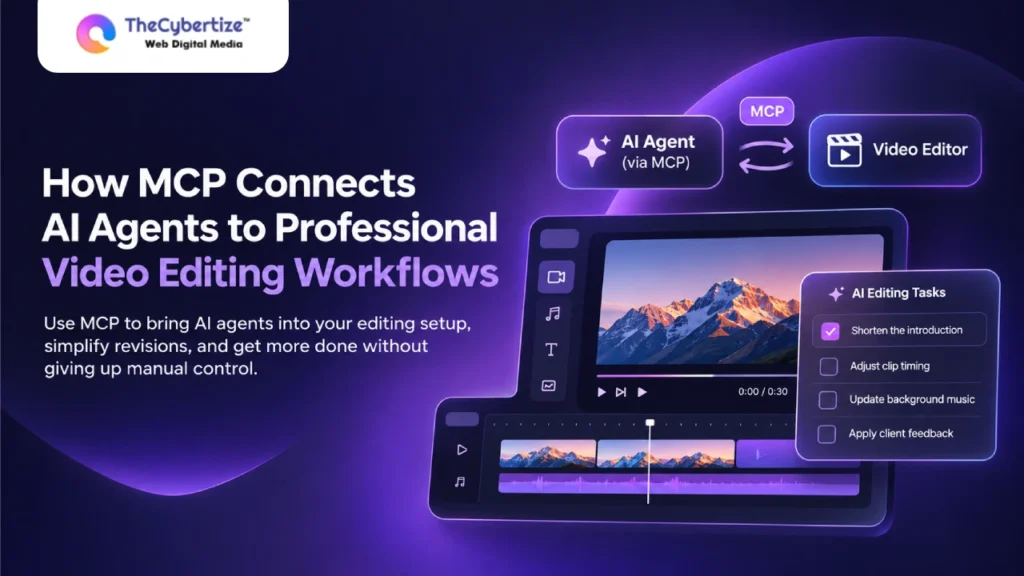
The Model Context Protocol (MCP) is changing how AI agents interact with professional editing tools. By providing a standard way for AI applications to connect with external software, MCP allows compatible agents to access supported editing functions and make changes directly within an existing project.
For businesses and creative teams, this creates opportunities to simplify repetitive editing tasks, manage revisions more efficiently, and bring AI assistance into established post-production workflows without giving up manual control.
How MCP Works in Professional Video Editing
MCP gives an AI assistant a standard way to discover and call tools exposed by an external application. In an editing setup, the AI application acts as the host, an MCP client manages communication, and the editor’s MCP server exposes available editing functions.
A user might ask for the introduction to be shortened. If the connected tools support it, the agent can inspect relevant timeline information, identify the section, and request a trim. The change happens within the editing project rather than through a separate editing process.
MCP itself does not edit footage or make creative decisions. Those capabilities depend on the assistant, the editing software, and the tools available through the connection. It also does not automatically give agents access to every project or editing function.
Why Creative Teams Need AI Connected to the Timeline
Video editing involves several tasks, from organizing footage and creating rough cuts to adjusting audio and making revisions. While AI tools can assist with these tasks, many operate separately from the editing software, requiring editors to apply suggested changes manually.
Connecting AI agents directly to editing timelines through MCP helps reduce this extra work. Agents can access project information and perform supported editing tasks within the software, allowing creative teams to review changes, make adjustments, and manage their workflows more efficiently.
How Does an MCP Editing Workflow Run?
A practical example is Invideo MCP, which connects supported AI assistants with Invideo Editor. The assistant can work with editing functions on an editable timeline, while the creator can inspect and refine the outcome through manual controls.
The workflow generally involves five stages:
- Connect: Authorize a compatible AI assistant to access the editor’s MCP server. The connection must have the necessary permissions.
- Prepare: Import footage and provide the project’s audience, intended length, format, and creative direction.
- Delegate: Request a specific task, such as assembling a rough cut, shortening a section, or adjusting the timing of clips.
- Review: Play the updated timeline and check whether the changes match the original instructions.
- Refine: Provide follow-up instructions or make manual adjustments before exporting the finished video.
Clear instructions help agents perform tasks more accurately. Instead of saying, “Make this video better,” an editor could request, “Shorten the introduction to 15 seconds while keeping the product demonstration unchanged.”
This gives the agent a defined task and makes the result easier to review.
A Real-World Use Case: Managing Video Revisions With AI Agents
Consider a creative agency producing marketing videos for several clients. After reviewing the first cut, a client requests changes to the opening sequence, background music, and timing of certain clips.
The editor must find the affected sections, apply the feedback, and make sure previously approved parts remain unchanged. When several projects require revisions, these small adjustments can add up.
With Invideo Editor connected to a supported AI assistant through MCP, the agency can request changes directly on the existing timeline.
Applying client feedback: The team asks the agent to shorten the opening, adjust selected clips, and make supported audio changes based on the client’s comments. Working with the current project helps avoid rebuilding the edit in a separate application.
Reviewing the changes: The editor checks the updated timeline to confirm that the revisions match the feedback. Previously approved scenes, audio, and transitions are reviewed to ensure they have not been affected.
Preparing the final version: Once the changes are approved, the team can make any remaining manual adjustments and export the video for delivery.
This approach gives agencies a more connected revision process. Instead of receiving editing suggestions that must be applied separately, teams can request supported changes within the same project and review the results before delivery.
Managing Project Access and Editing Control With MCP
MCP-connected editing workflows allow creative teams to manage how AI agents interact with their projects. Teams can define which editing functions are available and review changes directly on the timeline.
For agencies handling multiple client projects, clear access permissions and organized project versions help keep production work manageable. Editors can assign specific tasks to AI agents while maintaining oversight of the editing process.
Starting with a smaller project also allows teams to become familiar with the workflow before introducing it into larger video productions.
Introducing AI Agents Into Existing Editing Workflows
Businesses can begin with a simple project, such as turning a recorded webinar into a short highlight video. The goal should be to test one editing task rather than automate the entire production process.
Start by defining the intended video length, audience, and main message. Give the agent a specific responsibility, such as preparing an initial cut or removing unwanted sections.
Once the task is complete, compare the result against the original brief.
Check whether the agent selected relevant footage, preserved important information, and maintained a natural pace. Teams should also record how many corrections were needed before the edit was ready.
If the process works reliably, businesses can expand to captions, revisions, alternate versions, or other supported editing tasks.
This gradual approach helps creative teams understand where AI agents provide value while maintaining their existing review and approval processes.
Conclusion
MCP makes AI assistance more practical by connecting instructions to supported actions inside professional editing software. It helps teams move from written suggestions to reviewable timeline changes, particularly during repetitive editing and revision tasks.
With clear instructions, appropriate permissions, and human review, creative teams can introduce AI agents into their existing workflows while maintaining control over the finished video.
Frequently Asked Questions
Can ChatGPT or Claude connect to video editing software through MCP?
Yes. ChatGPT and Claude can connect to compatible video editing software when the application provides an MCP server and the assistant supports the required connection. Available editing functions depend on the software and permissions.
Does MCP replace professional video editing software?
No. MCP connects AI agents with editing applications. The editor still provides the timeline, playback, manual controls, and export functions.
Can editors manually change AI-generated edits?
Yes, when the connected software provides an editable timeline. Editors can review agent-made changes and adjust individual clips, audio, or timing before exporting.
How can creative teams manage AI editing workflows?
Creative teams can define project permissions, assign specific editing tasks, and review the results on an editable timeline. This allows AI agents to assist with production while editors maintain control over the final video.