AI in UI/UX Design Report 2026-2027: Tools, Data, Benchmarks

AI has moved from a novelty inside design tools to a working part of the design process itself. Fifty percent of designers surveyed for the State of AI Design 2026 report say they have shipped AI-generated code to production, up from a small minority just a year earlier, and creative teams using AI report saving thousands of hours and meeting or exceeding ROI expectations 74 percent of the time. But adoption is uneven by task, trust in AI output remains genuinely mixed, and one tool named in nearly every 2026 roundup, Galileo AI, no longer exists under that name. This report benchmarks where AI actually helps across ten stages of the design process and nine real tools, with the caveats the hype usually leaves out.
Table of Contents
AI in UI/UX Design Report: A Fast Note Before the Benchmarks
One correction worth making upfront, because it affects how this report is read. Galileo AI, the text-to-UI generator that appeared on nearly every “best AI design tools” list through 2025, was rebuilt by Google and relaunched as Google Stitch on Gemini 3 in late 2025.
It is included in this report under its current name, not as a separate legacy tool, since benchmarking a product that no longer exists under its old identity would mislead anyone using this as a buying guide. This is also a useful early signal about the category itself: AI design tools are consolidating and getting acquired at a pace that makes any “best of” list a snapshot, not a permanent ranking.
The Ten Stages Where AI Now Touches Design
AI-Generated Wireframes
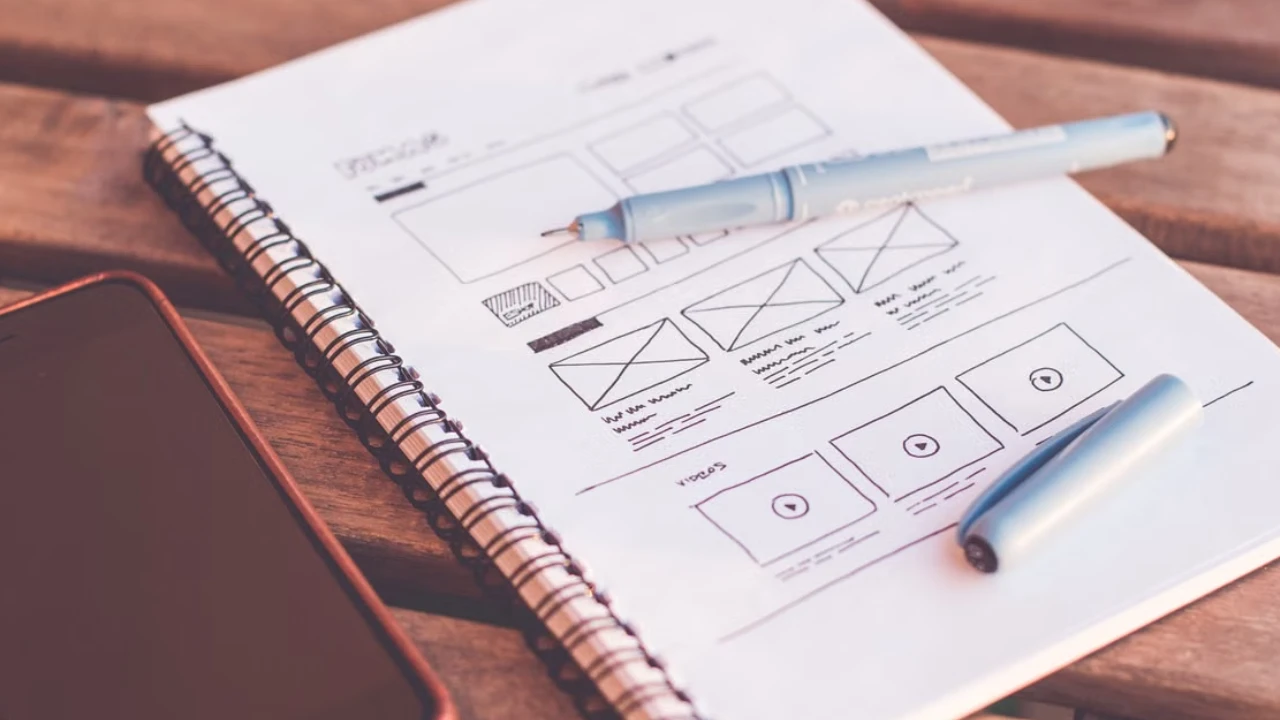
Text-to-wireframe generation is the most mature and most crowded category in this entire report. Tools including Visily, Uizard, Google Stitch, Relume, and Figma Make now turn a prompt, sketch, or screenshot into an editable wireframe in under a minute, and the honest differentiator between them is not generation speed anymore, it is where the output actually lands next: back into Figma, into production-ready code, or into a stakeholder review deck.
Fifty-eight percent of UX/UI designers now use AI for wireframing, according to industry tracking, up sharply from 32 percent just a few years earlier, making this the single most widely adopted AI design use case measured.
AI Prototyping
Interactive prototyping has split into two genuinely different product categories that get confused constantly. Tools like Framer AI and Uizard generate clickable, presentable prototypes for stakeholder validation and user testing, still fundamentally design artifacts. Tools like v0, Bolt, and Lovable skip the prototype stage entirely and emit real, running code, meaning what you get back is not a mockup of an interface, it is the interface.
Which category a team needs depends entirely on what happens next: a prototype destined for more design iteration needs the first category, a prototype destined to become the actual shipped product benefits from starting directly in the second.
AI Usability Testing
This is where AI-native tools are creating a genuinely new price tier rather than just accelerating an old one. Traditional moderated and unmoderated user testing platforms, UserTesting, Maze, and similar tools, run from 150 to 750 dollars per unmoderated study once participant incentives are added, with UserTesting’s own enterprise contracts averaging 147,756 dollars a year according to 2026 vendor contract benchmarking.
AI-powered synthetic research tools have opened an entirely new tier beneath that, running 8 to 20 dollars per study with reports delivered in under 30 minutes and no participant recruitment step at all.
The honest caveat sits right alongside that number: synthetic research answers usability questions, does this flow make sense, where do people get stuck, reasonably well, but is a poor substitute for questions about genuine trust, motivation, or willingness to pay, which still require real humans.
AI Accessibility
Accessibility testing tools have added meaningful AI-assisted capability in 2026, particularly around automated fix suggestions and continuous, domain-wide monitoring rather than one-off audits, with platforms like Siteimprove and AudioEye leading this category.
But a genuinely important counter-finding belongs in any honest report on this topic: AI-generated conversational and chat-based interfaces are quietly reintroducing accessibility problems that structured, form-based UI had already solved, inconsistent response formatting, unclear focus states, and outputs that do not map cleanly to screen readers.
An AI feature that is not tested against the same accessibility bar as the rest of a product measurably narrows who can use that product, which makes AI accessibility a two-sided story, better tooling for catching issues, paired with new categories of issues that AI-generated interfaces themselves introduce.
AI Design Assistants
Native, in-tool assistants, principally Figma AI, have shifted from a novelty to genuine daily workflow infrastructure for professional teams.
Real capabilities now in production use include automated layer renaming based on content and purpose, auto-layout suggestions that analyze a structure and recommend layout fixes, and design consistency checks that flag deviations from an established design system.
Ninety percent of teams surveyed apply Figma’s automated layout features specifically for responsive output, making this the clearest example in the entire report of AI quietly becoming table-stakes infrastructure rather than a distinct feature anyone consciously chooses to use.
AI Design Tokens
Design token generation and management, the underlying color, spacing, and typography variables that keep a design system consistent, is one of the quieter but genuinely high-leverage applications of AI in this space.
AI-assisted consistency checking inside tools like Figma can flag when a new component drifts from established tokens before it ships, catching a class of design-system decay that used to require a dedicated design-ops review cycle to notice at all.
AI Research Tools
Beyond usability testing specifically, AI has moved into broader design research: forty percent of designers and 29 percent of developers now use AI for data analysis as part of their process, according to Figma’s 2025 research.
The clearest year-over-year mover in this category, referenced directly in the State of AI Design 2026 report, is evidence-linked synthesis, AI tools that summarize research sessions while linking each conclusion back to the specific transcript moment that supports it, addressing one of the most common trust gaps in AI-assisted research: a summary a researcher cannot trace back to its source.
AI Copywriting
UI copy, button labels, empty state text, onboarding microcopy, is now one of the leading, most consistently cited AI design use cases in every current survey reviewed for this report, alongside ideation and prototyping.
Seventy-six percent of web designers report using tools like ChatGPT specifically for copywriting and content ideas, and this use case shows less controversy than most others in this report because UI copy iteration is fast, low-risk to test, and easy for a human to review and override before anything ships.
AI Image Generation
Image and asset generation is broadly adopted but shows the widest quality-versus-risk spread of any category in this report. Thirty-three percent of designers use AI specifically to generate design assets, but IP and copyright uncertainty remains a real, unresolved concern, cited in over half of AI-generated design projects in at least one survey, which is why most current professional guidance treats AI image generation as strong for early exploration and placeholder content, and weaker as a source of final, shippable brand assets without a human designer reworking the output.
AI Handoff
Developer handoff, historically one of the most friction-heavy stages in the entire design process, showed the sharpest year-over-year AI adoption increase of any workflow tracked in the State of AI Design 2026 report, alongside code generation, documentation, and design QA. In 2025, only 39 percent of surveyed designers used AI anywhere in the delivery stage.
By 2026, every workflow surveyed showed meaningful AI adoption, and 50 percent of designers report having personally shipped AI-generated code to production, a genuinely significant shift in what “designer” means as a job description, not just what tools a designer happens to use.
Benchmark: Nine Tools Compared
Figma AI is the strongest option for professional teams already inside the Figma ecosystem, since it enhances an existing workflow, auto-layout, consistency checks, layer renaming, rather than replacing it with a separate tool.
It does not generate a complete interface from a blank prompt as capably as dedicated generation tools do, but its adoption is the deepest of any tool in this list precisely because it requires no workflow change to start using.
Uizard remains the standard entry point for non-designers, with the lowest learning curve in this benchmark and a genuine sketch-to-digital-wireframe feature that turns a photograph of a hand-drawn sketch into an editable screen.
Its tradeoffs, repetitive outputs at scale and no direct production-code export, are also the most consistently cited limitations across current reviews.
Galileo AI, now operating as Google Stitch on Gemini 3, offers one of the most generous free tiers in this category, 350 standard AI generations a month through Google Labs, and leans toward aesthetic polish with a Figma-first handoff path, making it a strong pick specifically for rapid creative exploration rather than final production work.
Framer AI is best understood as a website generator, not a general UI design tool. It excels specifically at producing complete, publishable marketing sites and landing pages in minutes, and is commonly paired with a separate tool, v0 or a traditional design process, for the actual product interface itself.
Relume focuses specifically on generating coherent user flows and wireframes from stated functional objectives, positioning it closer to an information-architecture tool than a visual design tool, useful early in a project before visual direction has been decided.
Lovable and Bolt both belong to the code-first category alongside v0, skipping the wireframe stage entirely to generate a working full-stack application directly from a prompt.
The meaningful difference between them and a pure design tool is philosophical as much as technical: these tools are not really UI/UX tools in the traditional sense, they are development tools that happen to start from a design-shaped prompt.
v0, from Vercel, generates production-ready React components directly, aimed specifically at developers who want usable UI code without a separate design-to-development translation step, and has become the most commonly recommended tool in this benchmark specifically for teams that already know their target interface needs to become real, shipped code quickly.
Cursor is included here deliberately as the outlier in this benchmark, since it is fundamentally an AI-native code editor rather than a design tool.
Its relevance to this report is real but narrower than the other eight: design-to-code handoff increasingly happens inside tools like Cursor, where a developer takes a Figma file or an AI-generated wireframe and implements it directly with AI-assisted code completion, making it a genuine part of the modern AI design pipeline without being a design generation tool itself.
| Tool | Primary output | Best for | Free tier |
|---|---|---|---|
| Figma AI | Enhanced editing inside Figma | Professional teams already in Figma | Included with Figma plans |
| Uizard | Editable wireframes | Non-designers, sketch-to-digital | Yes, limited generations |
| Google Stitch (formerly Galileo AI) | High-fidelity UI concepts | Creative exploration, Figma handoff | 350 generations/month |
| Framer AI | Published marketing websites | Landing pages, campaign sites | Yes, limited |
| Relume | User flows and wireframes | Early information architecture | Yes, limited |
| Lovable | Full-stack working app | Idea to functional product fast | Yes, limited |
| v0 | Production React components | Developers wanting real code output | Yes, limited |
| Bolt | Full-stack working app | Rapid functional prototypes | Yes, limited |
| Cursor | AI-assisted code implementation | Design-to-code handoff execution | Yes, limited |
Time Savings
The most consistently cited figure across current creative-industry surveys is that AI tools cut prototyping and early design time by roughly 35 percent on average, with 74 percent of users reporting a meaningful time benefit.
At the higher end, one creative services company documented saving 17,770 design hours and 1.4 million dollars in design costs across more than 500 AI-assisted projects, hours the company reports redirecting into creative refinement rather than production rework.
Eighty-five percent of marketers and creatives report saving roughly four hours a week specifically through generative AI tools, a figure consistent enough across multiple independent surveys to treat as a reasonable baseline expectation rather than an outlier claim.
Adoption Rates
Adoption is broad but uneven by task, which is the detail most summary statistics flatten. Eighty-six percent of global creators report using generative AI in their work in some form, but that headline number obscures real variation underneath it, 58 percent specifically for wireframing, 40 percent for data analysis, 33 percent for asset generation, and just 22 percent for generating full first drafts of an interface.
Web design specifically shows 53 percent global tool adoption across firms of every size, with adoption climbing from 42 percent in 2021 to 68 percent by 2023 among agencies, and continuing upward since.
The gap between “have tried AI in design” and “use it as a core, trusted part of daily workflow” remains real and worth watching separately rather than treating adoption as a single number.
Enterprise Readiness
This is where the current data is most honest about a genuine limitation. Forty percent of designers and 29 percent of developers, in Figma’s own 2025 research, say they do not yet trust AI-generated output enough to rely on it fully, and only 27 percent believe AI will meaningfully move the needle on company-level goals within the next year, a notably more cautious figure than the adoption-rate headlines above might suggest.
For regulated or enterprise SaaS specifically, a separate and distinct governance concern applies: an AI feature that cannot explain how a given output was generated becomes a genuine procurement liability, since a compliance or security team unable to get a clear answer about generation logic will stall a deal regardless of how strong the underlying capability actually is.
Enterprise readiness, in other words, currently lags consumer-grade excitement by a meaningful margin, and the tools best positioned for enterprise adoption right now are the ones augmenting an existing, auditable workflow, Figma AI, rather than the ones generating a finished interface from a blank prompt with no visible reasoning trail.
Cost Comparison
| Category | Traditional Cost | AI-Assisted Cost |
|---|---|---|
| User testing (SMB, annual) | ~$36,265/year (UserTesting) | Included in most AI design tool tiers |
| User testing (enterprise, annual) | $147,756+ | Custom enterprise pricing, generally lower per-study |
| Per-study usability research | $150-$750 (unmoderated) | $8-$20 (AI synthetic research) |
| Full UI/UX design project (India) | ₹40,000 to ₹1 crore+ | AI tools reduce early-stage hours, not full project scope |
| Full UI/UX design project (global) | $1,500 to $150,000+ | Same range; AI compresses timeline, not necessarily total cost |
The clearest honest takeaway from the cost data is that AI tools compress time and lower the cost of early-stage exploration and testing dramatically, the usability testing gap alone is roughly 10 to 40 times cheaper per study, but they do not eliminate the cost of a full, professionally executed design project, since strategy, judgment, accessibility review, and final quality control remain human-led work regardless of how much of the first draft AI produces.
Human vs AI Workflows
The most balanced, non-hype framing across every credible 2026 source reviewed for this report converges on the same conclusion: AI compresses ideation and produces a usable first draft, but taste, judgment, edge-case handling, accessibility, and the genuinely hard question of whether a design is actually right for the specific business problem remain squarely a human responsibility.
AI tools move where a designer’s job starts, not what the job fundamentally is. Fifty-six percent of designers say AI makes them feel more hopeful about the direction of the field, a genuinely positive signal, but that optimism sits alongside real, measured caution: 38 to 75 percent of designers, depending on which 2026 survey is referenced, still express concern about job displacement, and the honest read of the adoption data throughout this report is that AI is currently best understood as compressing the distance between an idea and a testable first draft, not as replacing the judgment that decides whether that draft should ship.
What This Means for Design Teams Heading Into 2027
Pull the ten workflow stages and nine tools together and a consistent picture holds. AI has genuinely won the ideation, wireframing, and early prototyping stages of design, adoption there is broad, time savings are real and measured, and the tools are mature enough to be daily infrastructure rather than novelty.
AI has made real but more contested progress in usability testing, accessibility, and copywriting, useful and fast, but requiring human judgment about when synthetic or generated output is good enough and when it genuinely is not.
And AI remains clearly a compressor of time rather than a replacer of design judgment at the stages that matter most for whether a shipped product actually works for the people using it.
At Cybertize Technologies, this is the same discipline we bring to client design work, using AI aggressively where the data in this report shows it genuinely helps, and keeping a human designer firmly in charge of the decisions, accessibility, brand judgment, whether a flow is actually right for the business, that the data just as clearly shows still belong there.
Cybertize Technologies Private Limited designs UI/UX using AI tools where the data shows they genuinely help, while keeping human judgment on the decisions that still require it.
Frequently Asked Questions
No. Galileo AI was rebuilt by Google and relaunched as Google Stitch on Gemini 3 in late 2025. Any current comparison should reference Google Stitch rather than Galileo AI, since the original product no longer exists under its previous name.
Current data points to roughly 35 percent average time savings on prototyping specifically, with 74 percent of users reporting a meaningful benefit, and some creative teams document saving thousands of hours across large project volumes, redirecting that time into creative refinement rather than production rework.
Tools like Framer AI and Uizard produce interactive, clickable prototypes for stakeholder review and testing, still fundamentally design artifacts. Tools like v0, Bolt, and Lovable skip the prototype entirely and generate real, running code, meaning the output is the actual product interface rather than a mockup of one.
Only partially. Forty percent of designers and 29 percent of developers say they do not yet trust AI-generated output enough to rely on it fully, according to Figma’s 2025 research, even as broader adoption of AI tools for specific tasks continues to climb.
Substantially cheaper per study. Traditional unmoderated testing runs 150 to 750 dollars per study once participant incentives are added, while AI-powered synthetic research tools run 8 to 20 dollars per study with results in under 30 minutes, though synthetic research is a weaker substitute for questions about genuine trust or purchase motivation.
Enterprise readiness currently lags consumer adoption. Only 27 percent of designers believe AI will meaningfully move company goals in the next year, and an AI feature that cannot explain how a given output was generated creates a genuine compliance liability for regulated industries, which is why tools augmenting an existing, auditable workflow tend to fare better in enterprise settings than tools generating a finished interface from scratch.
Uizard is generally considered the lowest-barrier entry point for non-designers, offering sketch-to-digital wireframe conversion, while v0, Bolt, and Lovable suit non-designers who want to go further and generate an actual working application rather than a visual mockup.
Not according to current data. The consistent framing across 2026 industry research is that AI compresses ideation and produces a usable first draft, while taste, judgment, accessibility, and deciding whether a design genuinely fits the business problem remain human responsibilities that AI tools do not replace.
Developer handoff and code generation. In 2025, only 39 percent of designers used AI anywhere in the delivery stage of a project. By 2026, every workflow surveyed showed meaningful adoption, and 50 percent of designers report having personally shipped AI-generated code to production.
Yes, and this is worth understanding directly. AI-generated conversational and chat-based interfaces are quietly reintroducing accessibility problems that structured, form-based UI had already solved, including inconsistent response formatting and outputs that don’t map cleanly to screen readers, meaning AI features need the same accessibility testing as the rest of a product rather than an exemption from it.