Native iOS Development vs Cross-Platform iOS Development
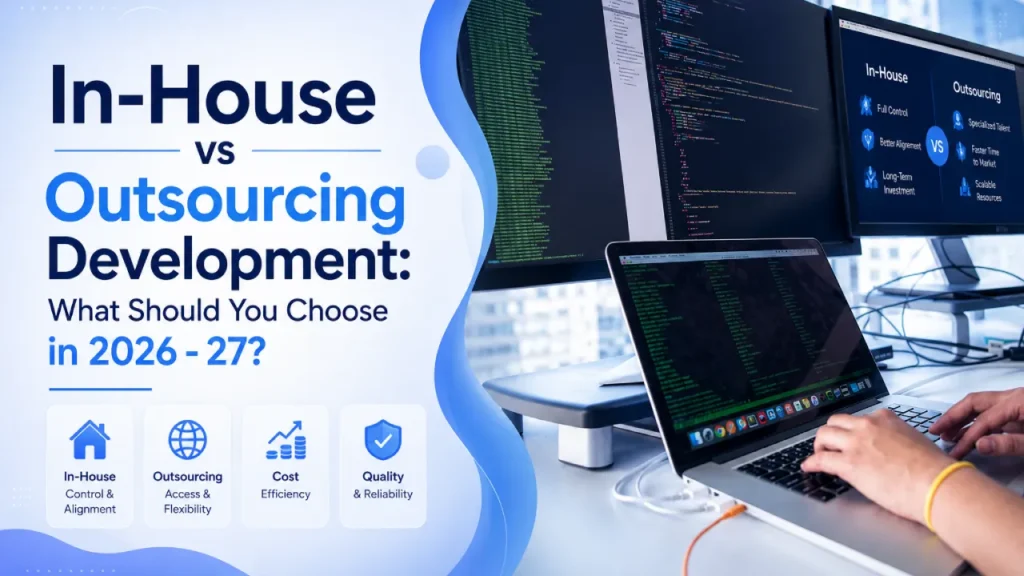
| Comparison |
Native iOS Development |
Cross-Platform iOS Development |
| Technology |
Swift, SwiftUI, and UIKit |
Flutter, React Native, and other cross-platform frameworks |
| Codebase |
Dedicated iOS codebase |
Shared codebase for iOS and Android, with platform-specific code when needed |
| Performance |
Excellent platform-specific optimization and integration |
High performance for most applications, depending on the framework and implementation |
| Development Cost |
Can be higher when separate iOS and Android apps are required |
Can reduce costs when building for iOS and Android from a shared codebase |
| Development Time |
Requires a dedicated iOS development workflow |
Can accelerate delivery across multiple platforms through code reuse |
| User Interface |
Direct access to native iOS UI components and platform conventions |
Supports shared UI designs and native components, depending on the framework |
| Device Features |
Direct access to Apple APIs and iOS capabilities |
Access through framework plugins, libraries, and native integrations |
| Maintenance |
Focused on iOS-specific updates and requirements |
Shared updates across platforms, with additional platform-specific maintenance when needed |
| Best For |
Apple-focused apps, advanced iOS features, and platform-specific experiences |
Startups, MVPs, business apps, and products targeting both iOS and Android |
| Ideal Choice When |
You need deep iOS integration, specialized functionality, or precise control over the Apple platform experience |
You want to launch on iOS and Android efficiently while maximizing code reuse |
Tip Direct from the desk of one of the leading iOS App Development Company in India:
The right approach depends on your app’s functionality, performance requirements, budget, timeline, and long-term maintenance plans. – Cybertize
Native iOS, Flutter, or React Native: how to decide
There is no universal winner. The right answer depends on your product, your team, and how long you will maintain the app.
| Factor |
Native iOS (Swift) |
Flutter |
React Native |
| Platform-specific features (widgets, Live Activities, HealthKit, advanced camera, new OS APIs) |
Direct and immediate access |
Often requires platform channels and native code |
Often requires native modules |
| Look, feel, and OS conformity |
Matches system behaviour by default |
Custom-drawn UI; needs effort to match platform conventions |
Uses native components; behaviour mostly platform-like |
| Shared code with Android |
None, separate Android app |
High |
High, and shareable with a React web team |
| Initial cost for iOS + Android |
Higher (two codebases) |
Typically lower |
Typically lower |
| Team skills |
Swift specialists |
Dart/Flutter specialists |
JavaScript/TypeScript and React developers |
| Day-one support for new iOS releases |
Strongest |
Depends on framework and plugin updates |
Depends on framework and library updates |
| Long-term maintenance |
One platform per codebase; fewer layers |
Framework upgrades plus plugin maintenance |
Framework upgrades plus library maintenance |
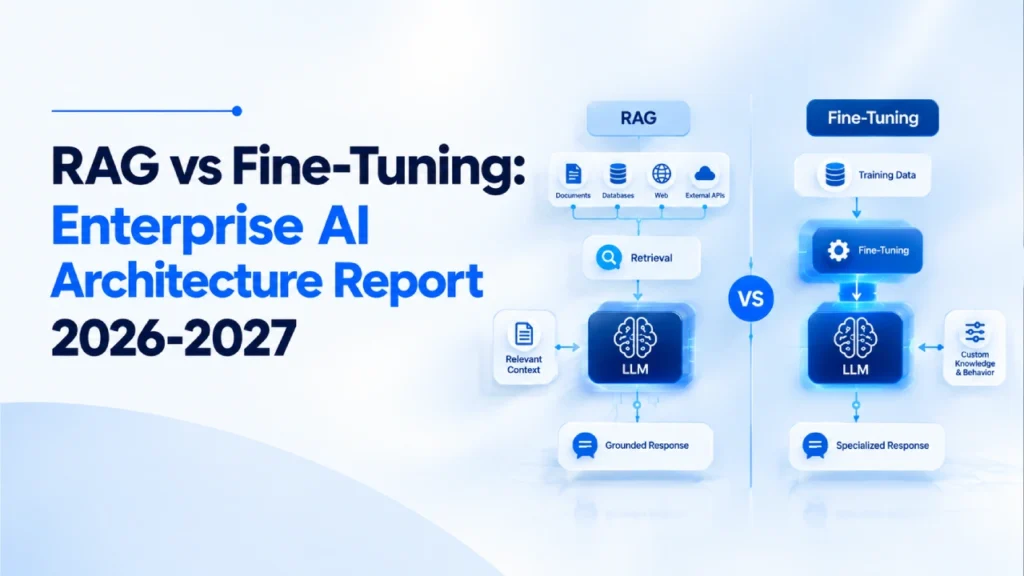
Native iOS is usually preferable when the product relies deeply on Apple-specific capabilities, when performance or smooth animation is central, when you are iOS-first (many B2B, premium consumer, and regional markets skew this way), when you need to adopt new iOS features quickly, or when you already have, or plan to hire, native iOS engineers.
Cross-platform is often the better choice when you need iOS and Android at the same time on a constrained budget, the interface is mostly standard forms and lists, and your team already has strong Flutter or React Native skills. The savings are real, but so are the trade-offs: plugin dependencies, framework upgrade cycles, and occasional need for native code anyway.
The fair comparison is total cost over the life of the product, not initial build cost. We will discuss this honestly, including recommending cross-platform where it fits better, and, where relevant, how a shared backend and API design can keep options open.
Engagement models
End-to-end iOS application development
As the leading iOS App Development Company, We take the project from discovery through to release and maintenance: requirements and scope, technical planning, UI/UX implementation from your designs (or alongside your design team), Swift development, integrations, QA, App Store preparation, and post-launch support. This suits product owners and businesses that do not have an in-house mobile team.
MVP development
An MVP should test a specific hypothesis with real users, not be a smaller version of everything. We help define the smallest set of flows that can validate the product, choose an architecture that will not need to be thrown away, and avoid early investment in things like complex offline modes or admin tooling that the first release does not need. TestFlight lets you put the app in front of real testers before public release.
Modernisation of existing iOS apps
Typical modernisation work includes a code and architecture review, upgrading to current Xcode and iOS SDKs, replacing deprecated APIs, migrating from Objective-C to Swift incrementally, introducing SwiftUI for new features, replacing abandoned dependencies, adding automated tests, improving crash rates and performance, and addressing privacy and accessibility gaps. We usually begin with an assessment so that you can decide between refactoring and rebuilding with evidence.
Dedicated Swift and iOS development resources
If you want to hire Swift developers or hire iOS app developers to work with your own product and engineering leadership, we can provide dedicated resources on a defined engagement. Skills, seniority, and duration are agreed at the start.
Adding developers to your team or engaging a team to own delivery
These are different arrangements, and choosing the wrong one is a common source of frustration.
Adding individual iOS developers to your team works best when you already have product management, architecture direction, code review, QA, and release processes in place. The developers work inside your workflow, under your technical lead. You retain control of priorities and design decisions; you also carry the responsibility for onboarding, code review, and outcomes. It is flexible for scaling capacity up or down, but it works poorly if there is no one to guide the work.
Engaging a team to own delivery works best when you do not have mobile engineering leadership, or want a single accountable party for scope, quality, and timelines. The team handles planning, architecture, development, testing, and release, with you providing product direction and feedback. You get faster accountability and fewer coordination burdens, at the cost of less day-to-day control over how the work is done.
A third path is common: begin with a team to own delivery of the initial build, then transition to a smaller maintenance engagement or hand over to your in-house developers with documentation and a structured handover.
Post-launch support and maintenance by the best iOS App Development Company:
Apple’s yearly iOS release cycle means a launched app is never finished. Maintenance typically covers:
- iOS and Xcode updates: testing against OS betas over the summer so that your app is ready when the new version reaches users, and adopting new requirements in time.
- Dependency management: updating Swift packages and SDKs, and removing those that are no longer maintained.
- Crash and performance monitoring: using tools such as Xcode Organizer and third-party crash reporting to prioritise fixes by impact.
- Bug fixes and hotfix releases with a defined response process.
- Feature releases: planned iterations, A/B testing support, and staged rollouts.
- Backend coordination: ensuring API changes do not break older app versions still in use.
We agree the maintenance scope, response expectations, and reporting cadence up front so there are no surprises.
iOS app development services by region
Cybertize Technologies delivers iOS projects remotely for clients in India, the USA, and the UAE. We describe below how coordination typically works. These sections describe how we can organise engagement for each market; they do not imply local offices or on-site teams unless we confirm that for your specific project.
India: Delhi, Mumbai, Bengaluru, Chennai, and beyond
For organisations in India, working from the same time zone makes day-to-day collaboration straightforward: daily stand-ups, same-day reviews of builds, and easy scheduling of workshops. Businesses in Delhi NCR, Mumbai, Bengaluru, Chennai, and other cities can usually coordinate through regular video calls, shared project boards, and on-request in-person discovery sessions where practical and agreed.
India-specific technical considerations that we plan for include UPI and payment gateway integrations, regional-language support and right-to-left or complex-script text handling where needed, KYC and identity flows for regulated products, performance on a wide range of network conditions, and alignment with applicable regulations such as the Digital Personal Data Protection Act and any sector-specific rules from regulators like RBI for fintech products. Please confirm regulatory requirements with your compliance advisers.
USA: from New York and Boston to Austin and the Bay Area
For US clients, such as startups in San Francisco and the Bay Area, product companies in New York, Boston, or Austin, and enterprises in cities like Chicago, Dallas, or Atlanta, the principal challenge is time-zone distance. India Standard Time is roughly 9.5 to 13.5 hours ahead of US time zones, depending on region and daylight saving. In practice we structure work so that there is a defined overlap window, usually the early part of the US working day and the later part of the India working day, reserved for stand-ups, demos, and decisions. Outside this window, the team works asynchronously with written updates, recorded demos, and clear task definitions, so that questions raised in the evening are answered by the next morning.
US-specific considerations may include subscription billing through the App Store, accessibility expectations, privacy laws such as the California CCPA/CPRA, HIPAA for health products, and COPPA for apps aimed at children. Contractual and data-handling arrangements (including NDAs, IP assignment, and data processing terms) should be agreed at the start.
UAE: Dubai, Abu Dhabi, and across the Emirates
For businesses in Dubai, Abu Dhabi, Sharjah, and elsewhere in the UAE, the time difference with India is small, with the UAE about 1.5 hours behind India Standard Time and no daylight saving, so most of the working day overlaps. This makes regular workshops, sprint reviews, and stakeholder calls easy to schedule, including around the UAE’s working week and Friday arrangements.
Projects in the region often involve bilingual Arabic and English interfaces with proper right-to-left layout, local payment and wallet integrations, delivery and on-demand services, hospitality, real estate, and government-adjacent or free-zone businesses with their own data-handling expectations. Data protection obligations, including the UAE’s federal data protection law and free-zone frameworks such as DIFC and ADGM, may apply depending on your business and should be confirmed with qualified advisers. We design for Arabic localisation from the start, as retrofitting right-to-left support is far more expensive.
How we handle coordination across regions
- A named project lead and a single channel for decisions.
- A written communication plan: meeting cadence, overlap hours, and escalation path.
- Sprint-based delivery with demos of working builds, distributed through TestFlight, rather than status reports alone.
- Shared access to repositories, project boards, and documentation, so that you are never dependent on us for visibility.
- Clear agreements on IP ownership, source code access, and handover.
What to prepare before requesting a proposal
You do not need a complete specification, but the following information makes an estimate far more accurate and shortens discovery:
- Product scope. The problem the app solves, the primary users, and the key user journeys. A list of must-have versus later features helps.
- Target devices and OS versions. iPhone only, or iPad as well? Do you also need Apple Watch, widgets, or other Apple platforms? Do you know your minimum iOS version?
- Integrations. Backend services, third-party APIs, payment providers, identity systems, analytics, CRM or ERP, with documentation or sandbox access if available.
- Compliance and security requirements. Industry regulations, data residency, security review processes, and any enterprise device management needs.
- Existing designs. Figma files, brand guidelines, design system, or wireframes. If none exist, tell us whether you want design support.
- Backend readiness. Is the API built, documented, and stable? Who owns it, and who will change it if the app needs adjustments?
- Existing app and code (if any). Repository access, current App Store listing, crash reports, and known problems.
- Preferred engagement model. End-to-end, MVP, modernisation, or dedicated developers, plus timeline expectations and budget range.
- Release and support expectations. Target launch date, who will manage the Apple Developer account, and the maintenance support you expect after launch.
What iOS app development actually involves
Writing screens is the visible part of iOS development. The parts that determine cost, timeline, and reliability are usually these:
- Architecture that keeps business logic testable and separate from the interface.
- Networking and data handling that behave sensibly on poor connections.
- Authentication and payments that satisfy both your backend and Apple’s rules.
- Platform compliance: permissions, privacy disclosures, and App Review requirements.
- Device and OS coverage across iPhone and iPad sizes, accessibility settings, and OS versions.
- Release and maintenance discipline, because Apple ships a new iOS version every year and expects apps to keep up.
We treat these as first-class engineering work from the discovery stage, not as tasks to be squeezed in before submission.
Native iOS development with Swift, SwiftUI, and UIKit
Swift as the default language
For new native work we write in Swift. It is Apple’s primary language for its platforms, with strong type safety, modern concurrency (async/await and actors), and first-class support in Xcode and Apple’s frameworks. Objective-C remains relevant mainly for maintaining older codebases, and we are comfortable working in mixed Swift and Objective-C projects when modernisation has to be gradual.
SwiftUI or UIKit: a practical decision
The choice is not ideological. It depends on your minimum supported iOS version, the complexity of the interface, and the team that will maintain the app.
- SwiftUI is usually our starting point for new apps. It reduces boilerplate, works well with Dynamic Type, dark mode, and accessibility features, and speeds up iteration on standard screens. Its capabilities increase with each iOS release, so the lowest OS version you support affects how much you can rely on it without workarounds.
- UIKit remains appropriate when you need fine control over complex collection layouts, custom gestures and transitions, mature third-party components built on UIKit, or when you are extending a large existing UIKit app. Rewriting a stable UIKit app purely to use SwiftUI rarely pays for itself.
- A hybrid approach is common and perfectly reasonable: SwiftUI for new features, hosted inside a UIKit navigation structure, or UIKit components wrapped for use within SwiftUI.
We will recommend one based on your deployment target and roadmap, and we will tell you if a rewrite is not justified.
App Store submission is a stage of the project with its own planning, not an afterthought. We help prepare for:
- Privacy disclosures. The App Privacy details in App Store Connect and your privacy policy must accurately match what the app and its SDKs collect.
- Permissions. Camera, location, contacts, notifications, tracking, and other permissions need clear purpose strings and sensible request timing. Asking for more access than a feature needs is a common cause of rejection and user drop-off.
- App Review considerations. Reviewers need working demo credentials, accessible backend services, and complete functionality. Incomplete features, placeholder content, broken links, and misleading metadata are frequent issues. We prepare review notes and test accounts with the build.
- Build and SDK requirements. Apple periodically requires submissions to be built with a recent Xcode and SDK version, which affects timelines for older projects.
- Distribution channels. TestFlight for internal and external beta testing, phased release for production rollouts, and Apple Business Manager or custom app distribution for enterprise and B2B apps where public listing is not appropriate.
- Release management. Version numbering, release notes, staged rollouts, feature flags where useful, and a defined process for hotfixes.
No agency controls App Review, and we do not promise approval. What we can do is reduce avoidable rejections by checking the app against Apple’s published guidelines before submission and responding quickly if the reviewers raise questions.
Device and OS coverage
We agree a support matrix with you at the start: the minimum iOS version, iPhone and iPad support, orientation, and screen sizes. Supporting iPad properly (split view, multitasking, larger layouts) is a distinct scope from running an iPhone app on an iPad, and it should be a deliberate decision. Each additional OS version you support adds testing effort and constrains which APIs can be used, so we look at your actual audience data where it exists before choosing a floor.
Accessibility
Accessibility is cheaper when built in. We implement Dynamic Type, VoiceOver labels and traits, sufficient colour contrast, Reduce Motion handling, and sensible focus order as part of normal development. This is helpful for users who rely on assistive features and also reduces risk where accessibility obligations apply to your sector.
Typical performance work includes keeping the main thread free, efficient list rendering, image caching and downsampling, controlling memory use, reducing launch time, and profiling with Instruments before and after changes. We aim to measure rather than guess, and we set performance budgets for critical flows such as launch, login, and search.
Offline behaviour and background execution
Mobile connectivity is unreliable, so we decide with you what must work offline: read-only caching, queued writes that sync later, or full offline operation with conflict resolution. These range from straightforward to complex. Background behaviour is also constrained: iOS limits what apps can do when not in the foreground, so features like background sync, location tracking, or uploads must use the approved mechanisms (background tasks, background URL sessions, location modes) and be designed to tolerate the system pausing or ending the app.
Testing
Our quality assurance combines unit tests for business logic, UI tests for critical journeys, manual exploratory testing, and testing on physical devices across the support matrix, not only the simulator. We also test interrupted scenarios such as poor network, low battery mode, permission denial, app backgrounding mid-transaction, and upgrade from an earlier version.
Security for sensitive user data
Security requirements vary widely between a content app and a finance or healthcare app. Our baseline considerations include:
- Credential storage in the iOS Keychain rather than in user defaults or files, with appropriate accessibility settings.
- Transport security with TLS, App Transport Security enforced, and certificate pinning where the risk justifies the maintenance burden.
- Data at rest protected using iOS file protection and, where needed, additional encryption of sensitive local data.
- Biometric authentication using the Local Authentication framework, with a defined fallback.
- Access control enforced on the server, never trusted to the client alone.
- Minimal data collection and logging, so sensitive information does not leak into analytics, crash reports, or logs.
- Dependency review to monitor known vulnerabilities in third-party code.
If your product falls under specific compliance regimes, such as payment card requirements, health data rules, or regional data protection laws, we will work with your legal and security teams on the technical controls. We do not provide legal advice, and compliance obligations should be confirmed with qualified counsel.
Start a conversation about your iOS project
If you are planning a new product, replacing an ageing app, or looking to hire Swift developers who can work within your delivery process, send us a short brief covering the items in the checklist above. We will respond with questions, a recommended approach, and a scoped proposal once we understand your requirements.
Contact Cybertize Technologies Private Limited to schedule a discovery call.